
The following are device specific settings for Pixel 8 Pro devices that may affect notifications.
Battery Optimization
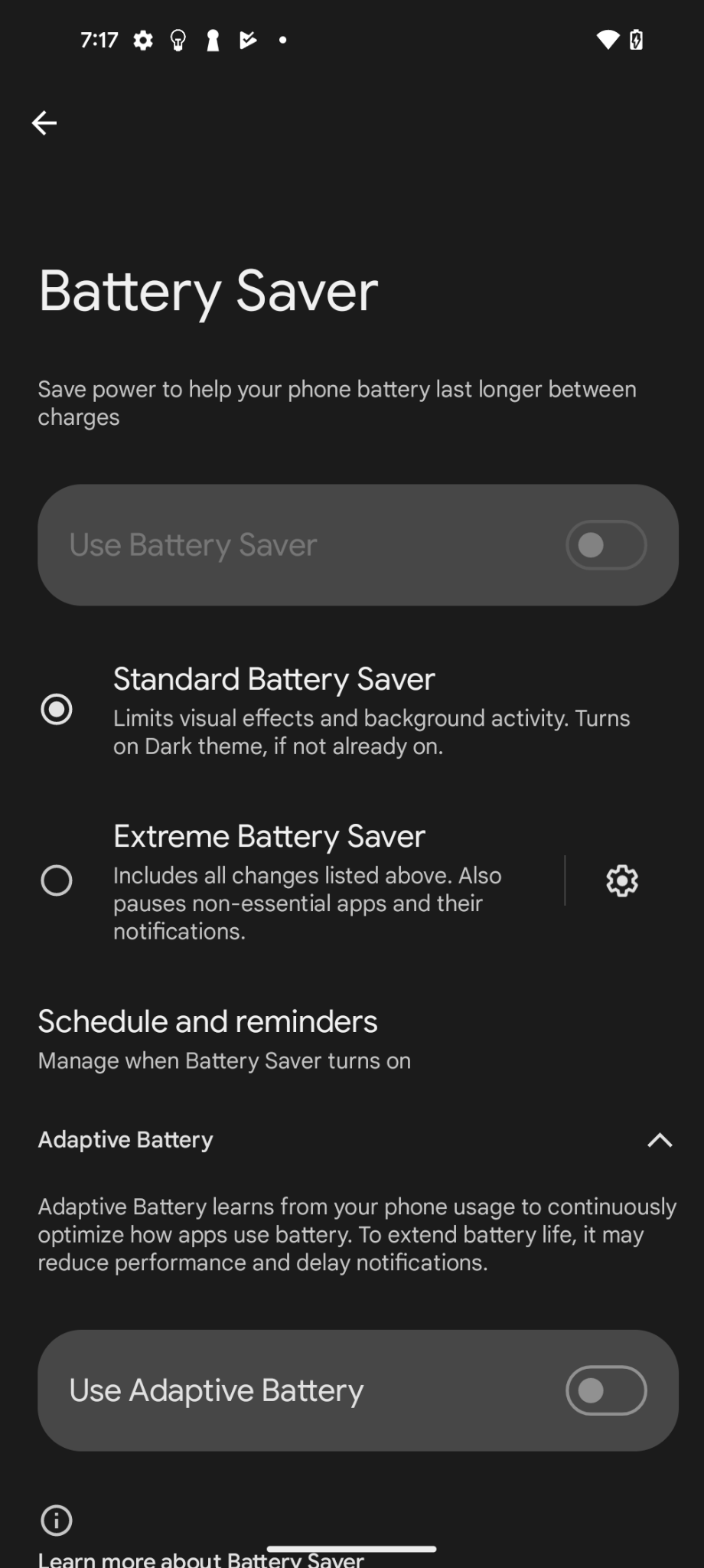
Notifications may not work properly if any power saving mode is enabled, or if power usage is managed in the background.
-
Android phone Settings > Battery > Battery Saver > Battery Saver should be disabled.
Notifications
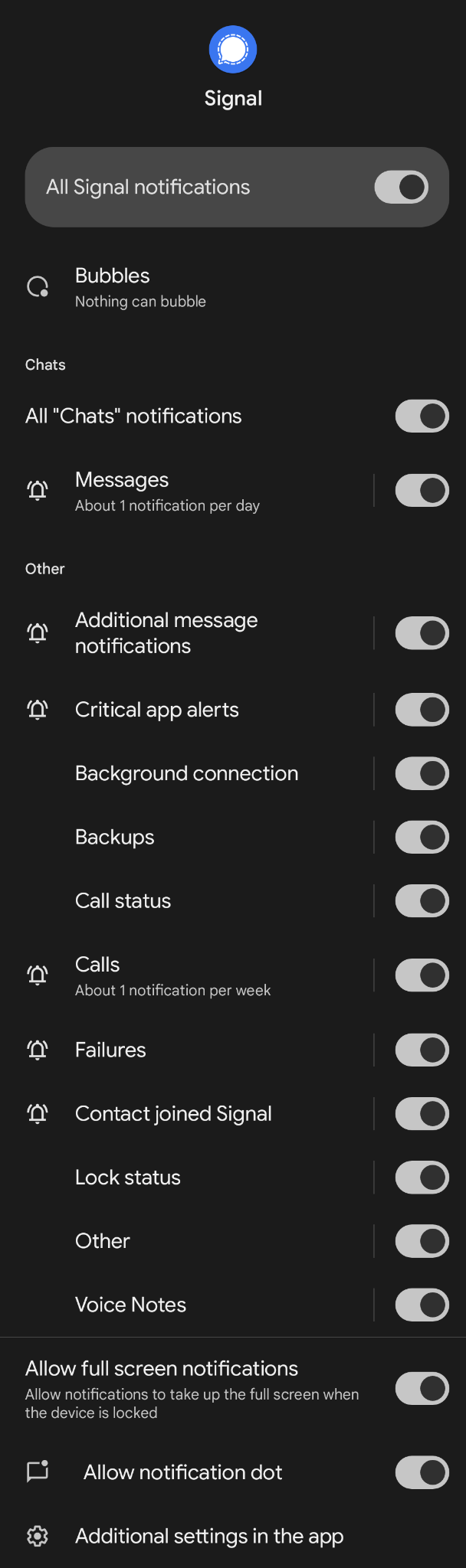
This is where notifications, lock screen notifications, and the app icon dot can be configured.
-
Android phone Settings > Notifications > App notifications > Signal > All Signal notifications toggle should be enabled.
-
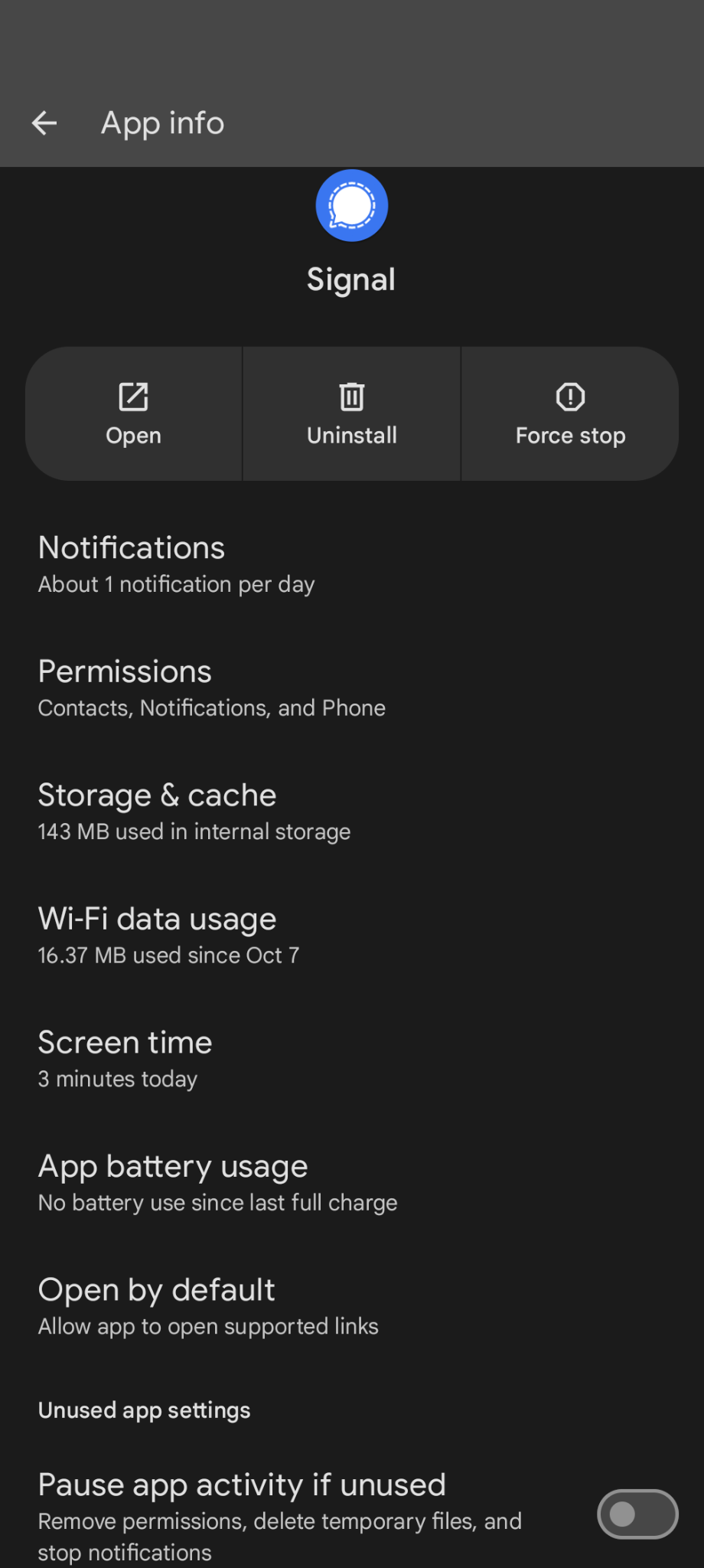
Android phone Settings > Apps > Signal > Pause app activity if unused should be disabled.
- Android phone Settings > Apps > Special app access > Full screen notifications > Signal > Allow full screen notifications should be enabled.