
 |
 |
||
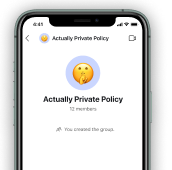
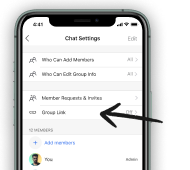
| 1. Create a group on Signal | 2. Tap into group settings and then tap "Group Link." | ||
 |
 |
||
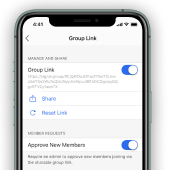
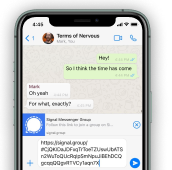
| 3. Turn on the group link and tap share. | 4. Share in your former messenger of choice. |
You can invite people to join a group simply by sharing a link with them. You can also require admin approval if someone requests to join your group via a link.
How do I create a group link?
- Open your group chat and tap on the group name to view chat settings.
- Select Group Link.
- Tap Group Link or select On in the menu.
- Optional: Tap Approve New Members or select On in the menu to require admin approval if someone requests to join the group via a link.
- Tap Share to copy the link or share.
What other ways can someone join a group?
Display a QR code for a contact to scan using any app.
- On mobile, open your group chat and tap on the group name to view chat settings.
- Select Group Link.
- Select Share.
- Choose QR code.
- Have your contact use any app to scan the QR code on your phone.
How do I delete an existing group link and create a new one for the same group?
Reset the link in group chat settings > Group Link > Reset Link.
How do I delete a group link?
Delete the link in group chat settings > Group Link > tap Group Link or select Off in the menu to disable.
I don't see the feature of a group link. What do I do?
Message an admin of your chat for them to set and share the group link.